Einkaufsguide

Einkaufsguide
New User Onboarding Guide
01
Purchasing Process
02
How to Create a Shipment Order
03
Parcel Delivered & Feedback
Purchasing Process
01
Choose Product
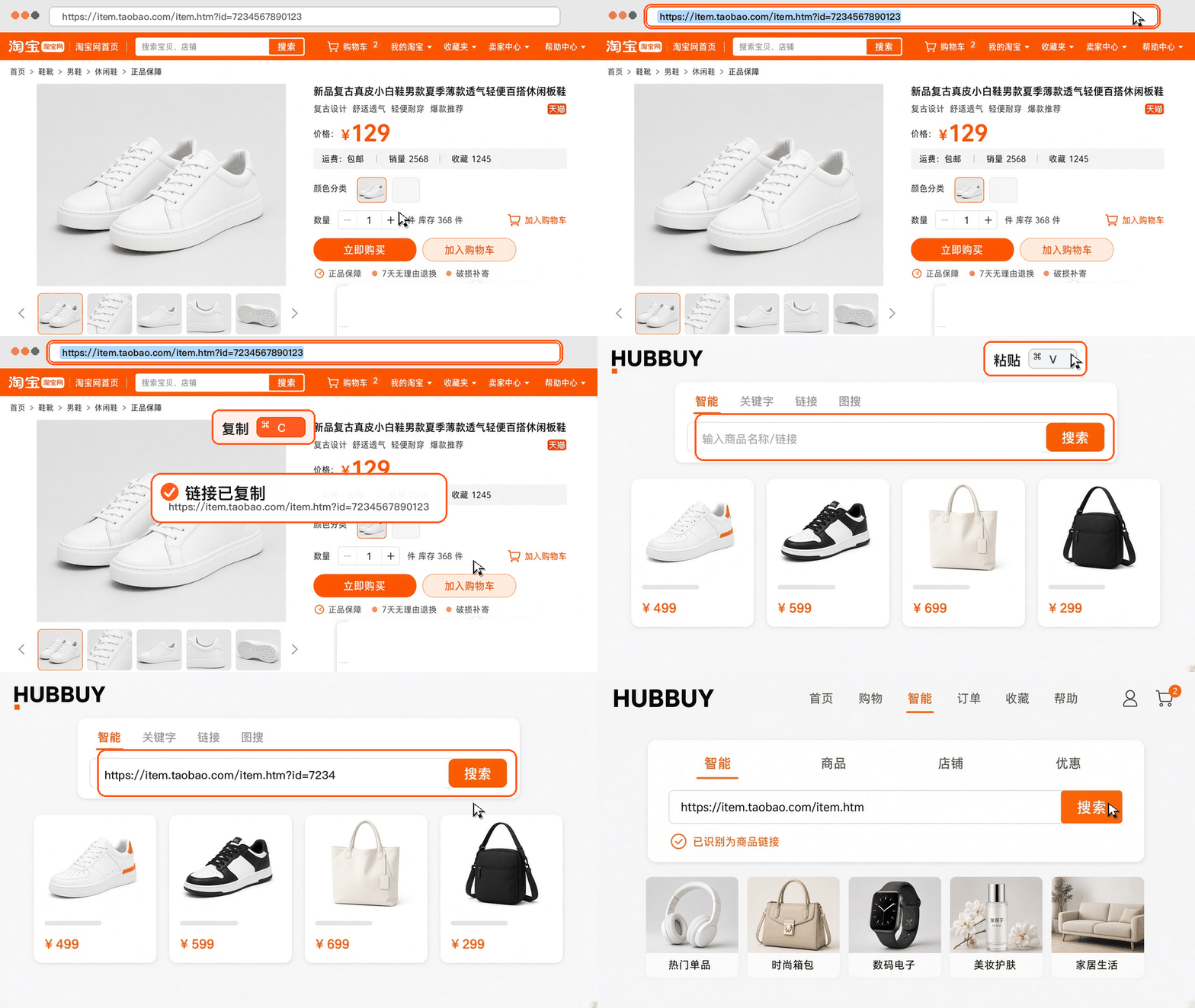
Link search
Keyword search
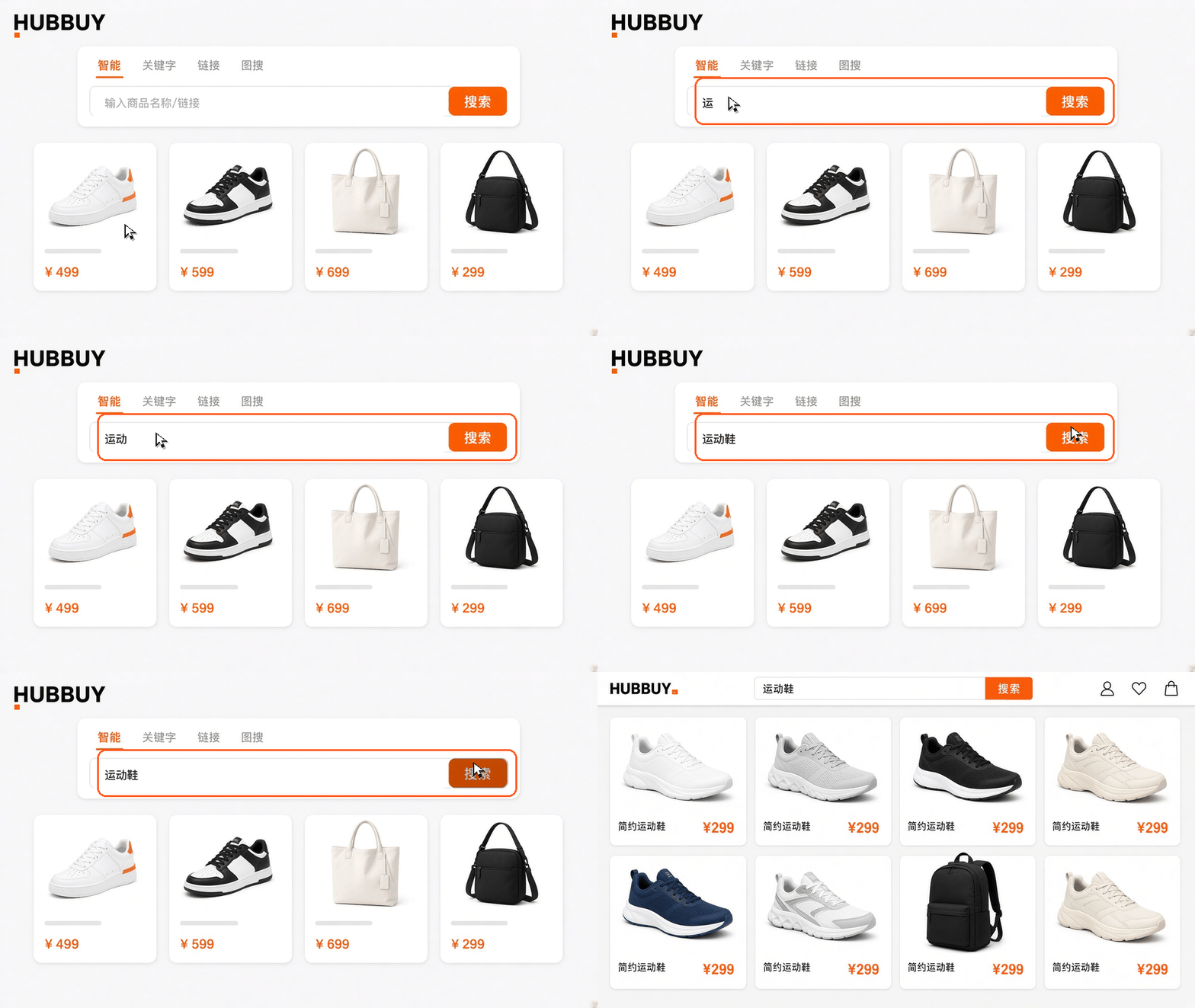
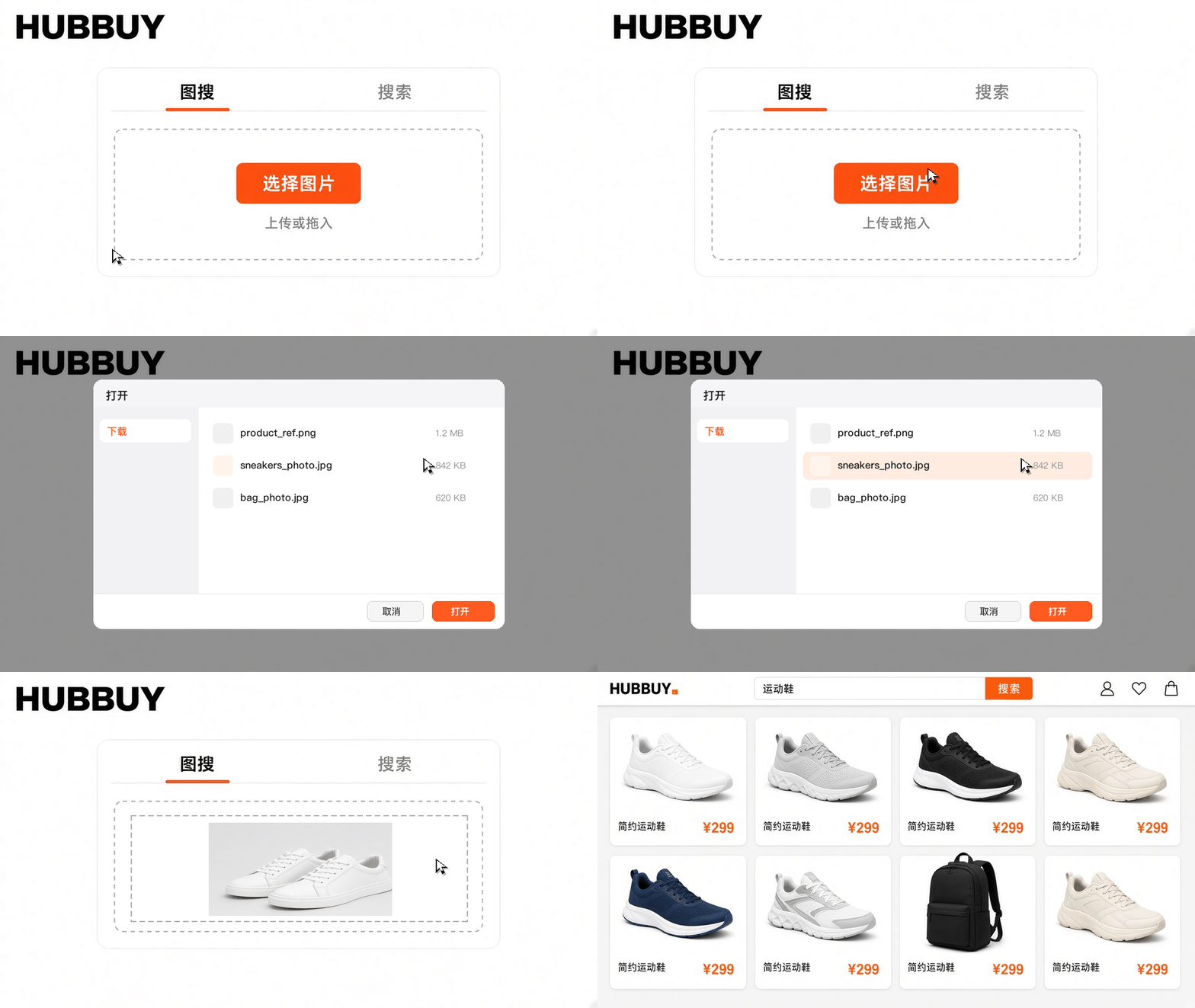
Image search

Taobao / Tmall
In the app, open the product, tap Share, then Copy link. On the website, copy the address bar. Short links on tb.cn work too.

1688
Open the product detail, tap Share, then Copy link. On the website, copy the address bar. The address is usually detail.1688.com.

Xianyu
In the Xianyu app, open the item, tap Share at the bottom, then Copy link. The address is usually on goofish.com.

Weidian
In Weidian, open the product, tap Share, then Copy link. The address is usually on weidian.com.
02
Place Sourcing Order
Hubbuy retrieves product data from 99% of listings on Taobao, Tmall and 1688. You may select colour, size and quantity before adding to cart or purchasing immediately.
03
Settle Product Payment
Choose a payment method and pay for the item and its domestic shipping in China.
Important Notes
Multiple settlement currencies are supported.
Available payment options: Credit Card, WeChat Pay, Alipay.
Select your destination country or region and specify special requirements. Tick required value-added services before submitting your order.
04
Hubbuy Sourcing Service
Our purchasing agents contact the seller and buy the items you ordered.
Important Notes
During procurement you may check order progress and message your dedicated buyer agent. Our team will contact you via email or messaging platforms if clarification is needed.
05
Warehouse Inspection & Storage
After the warehouse receives the goods, we inspect them and store them. Once stored, view the item in User Center — Warehouse.
Important Notes
Upon arrival at our warehouse, goods undergo formal inspection and photo documentation for your review. We will contact you immediately if defects or discrepancies are found.
Goods sourced from 1688 are subject to separate inspection protocols.
You may either arrange immediate international shipment for received goods (Steps 6–9) or consolidate further purchases before dispatch (repeat Steps 1–5 then proceed to Steps 6–9).
Complimentary warehousing is provided for 90 days following warehouse receipt.
Consolidating multiple orders into one shipment reduces overall international freight expenditure.
How to Create a Shipment Order
06
Submit Parcel for Dispatch
Open Warehouse, select the items, and submit a parcel. Fill in the delivery details and choose a recommended shipping type.
Important Notes
Certain items are restricted on specific logistics routes; we have pre-selected compatible courier options for your reference.
Additional services including label removal, reinforced packaging and shipping insurance are available; state your requirements in the order remarks section.
07
Prepay International Freight Deposit
Choose how to pay the international shipping deposit and customs charges.
Important Notes
International freight is initially calculated based on estimated weight, selected shipping route and destination country.
Final shipping cost is determined by the courier’s actual measured package dimensions and weight. Any difference between pre-paid deposit and final charge will be refunded to your Hubbuy wallet after dispatch.
08
Hubbuy International Dispatch
We consolidate and pack the items, reinforce the package, weigh it, and dispatch it.
Important Notes
Once dispatched, you may track parcel movement via User Centre > My Parcels.
09
Awaiting Item Arrival at Warehouse
Track the shipment on the Parcel page.
Important Notes
International shipments are exposed to potential disruptions including transit delays, customs seizure, import taxation, physical damage or total loss. Hubbuy has no direct control over third-party logistics providers or foreign customs authorities and cannot guarantee service quality from unaffiliated carriers. We will disclose route-specific risks in advance and provide active support to resolve issues where possible.
Parcel Delivered & Feedback
10
Parcel Delivered & Feedback
After receiving your parcel, confirm delivery within User Centre > My Parcels. Raise after-sales requests via the order page if any issues occur.
Important Notes
If you are satisfied with our service, we would greatly appreciate it if you share your order experience on social media or with acquaintances.